
TF
TradifyFX Team
·
2
min read
Every trade you have taken, with notes, grades and screenshots.
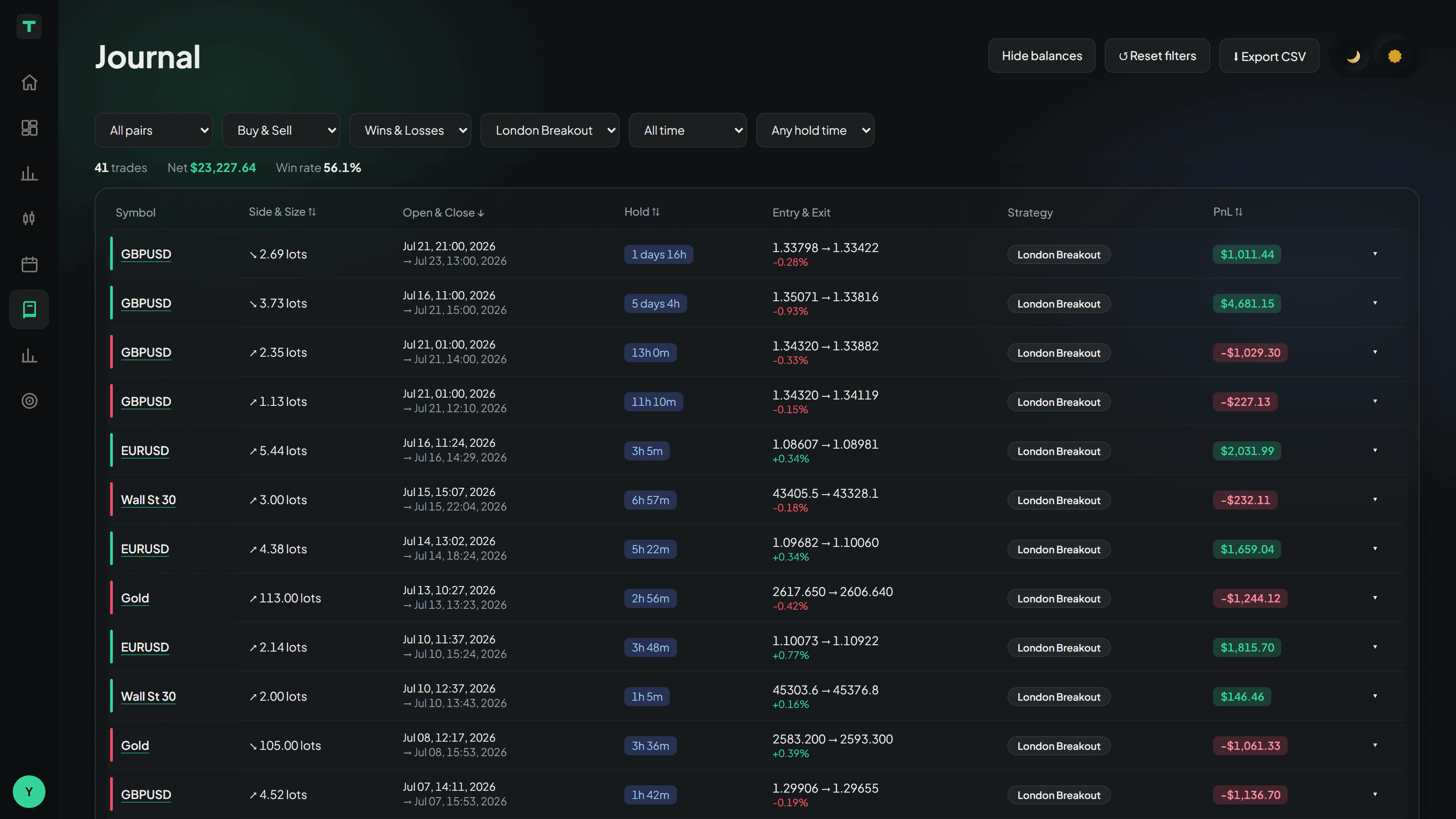
Every trade lands here on its own. There is nothing to fill in.
Each row shows the market, direction and size, when it opened and closed, how long you held it, entry and exit prices, which strategy it belonged to, and the result.
Filtering
Six filters across the top: market, direction, wins or losses, strategy, date range and hold time. The counts above the table update as you narrow things down.
Useful questions to point it at:
Do my losers get held longer than my winners?
Is one market responsible for most of the damage?
Are short trades pulling the average down?
Opening a trade
Click a row to expand it. You get why it closed — stop, target or by hand — how far it went against you before it worked, how much further it went in your favour after you got out, and the automatic screenshot of the chart at the moment you closed.
Notes, grades and tags
Inside an expanded row you can add:
A note — what you were thinking
A grade from one to five stars — how well you executed, which is not the same as whether it won
Habit tags — Textbook, FOMO, Revenge, Early exit and others
The tags are what the Reports page uses to work out which habit is costing you the most, so they are worth the few seconds.
Grade the execution, not the outcome. A well-taken trade that lost is a five-star trade. A rule-breaking gamble that won is a one-star trade. Grading by result just teaches you to like winning.
Back to the chart
Click the market name, or See it on the chart, and the trade opens in review mode with your entry and exit marked. See Replaying a past trade.
Export
Export CSV downloads whatever your filters currently show — for your own spreadsheet, or for a coach.
Related articles
In this topic
Still stuck?
Tell us the strategy name and roughly when it happened, and we’ll look at the exact session.
Contact support


