
TF
TradifyFX Team
·
1
min read
Market, limit and stop orders, and the two ways to open the ticket.
Click Buy or Sell in the trading bar, or press B or S. The order ticket opens.
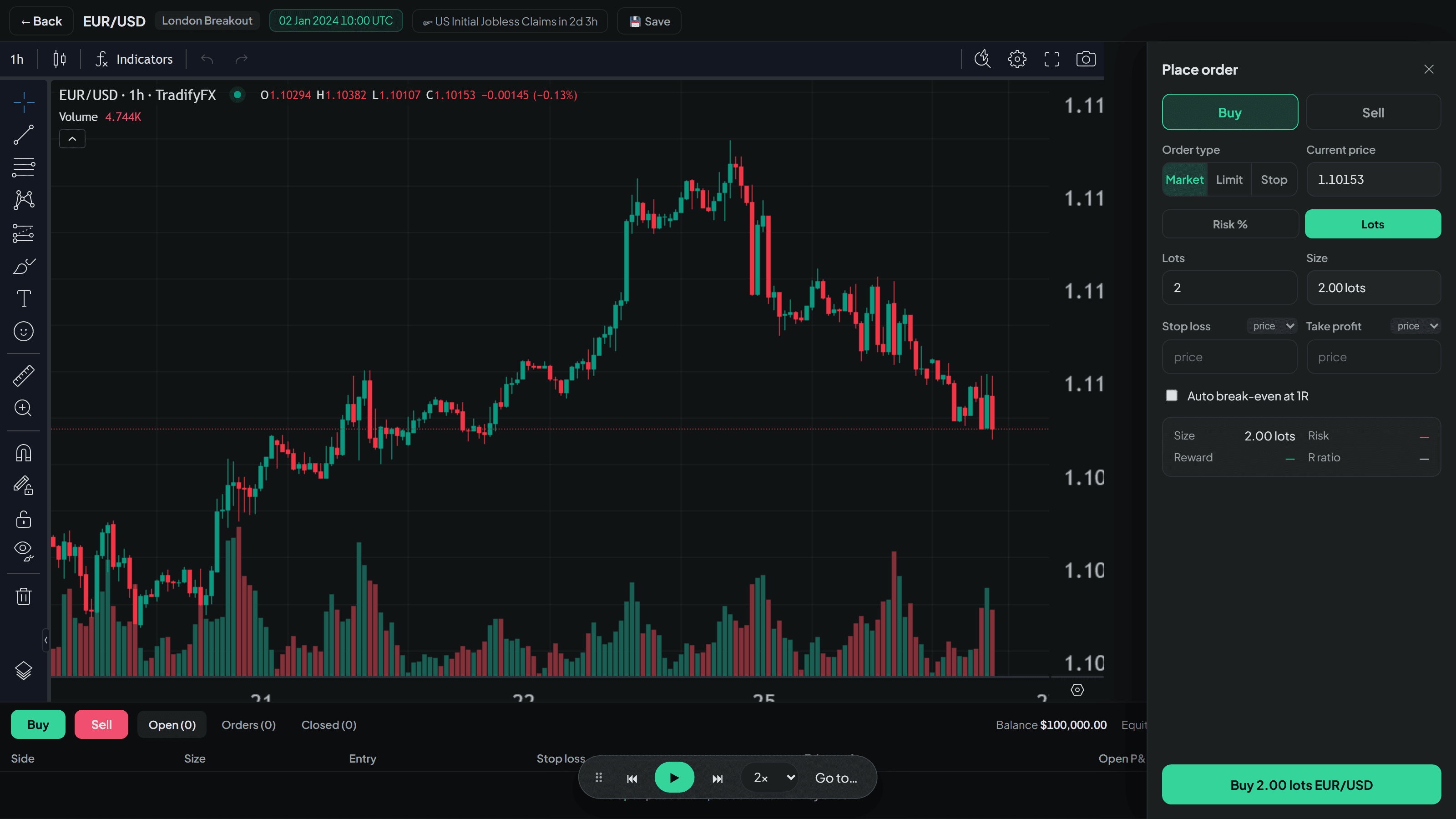
The three order types
Type | What it does |
|---|---|
Market | Fills immediately at the current price. |
Limit | Waits for a better price than now — below current price to buy, above to sell. |
Stop | Waits for a worse price than now — above current price to buy, below to sell. Used for breakouts. |
Limit and stop orders sit in the Orders tab until price reaches them, and the counter next to the tab tells you how many are waiting. They fill automatically as you step forward.
Drawing your trade first
There is a second way in that most people prefer once they find it.
Use TradingView’s long position or short position drawing tool on the chart and drag it to where you want your entry, stop and target. The order ticket picks it up while you are still dragging — side, entry, stop and target all fill in, and a 📐 marker shows it is reading your drawing.
Confirm the ticket and the drawing becomes the real trade.
This is the fastest way to place a properly-planned trade, because you are deciding the stop and the target before you think about size.
If price has already moved
An order that could not fill honestly will not fill. TradifyFX will not give you a price that never traded — that is the whole point of the exercise.
Related articles
In this topic
Still stuck?
Tell us the strategy name and roughly when it happened, and we’ll look at the exact session.
Contact support


